MT5 vs. cTrader: The Ultimate Guide to Choosing the Best Forex Platform
Compare MT5 vs cTrader features, costs, and performance. Discover which forex platform suits your trading style with expert insights on automation and execution.
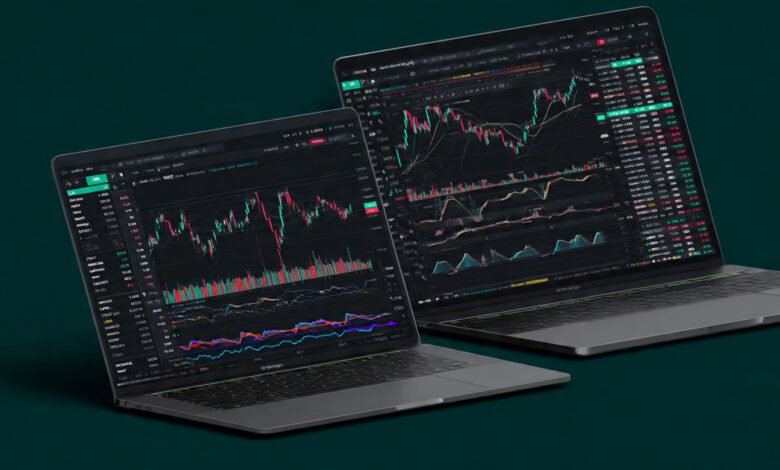
Choosing the right trading platform can make or break your success in the forex markets. If you’re caught between MetaTrader 5 and cTrader, you’re not alone. These two platforms dominate the conversation among serious traders, but they take fundamentally different approaches to helping you execute trades and manage risk.
MT5, developed by MetaQuotes Software in 2010, built its reputation on versatility and a massive ecosystem. It’s the platform that inherited the throne from MT4, adding multi-asset trading and advanced automation tools. Meanwhile, cTrader arrived in 2011 with a clear mission: create a modern, transparent platform that puts traders first, especially those who value speed and clarity in their execution.
The real question isn’t which platform is objectively better. It’s which one aligns with how you actually trade. Do you rely heavily on Expert Advisors and need access to thousands of pre-built trading robots? Are you a discretionary trader who wants clean charts and transparent order execution? Maybe you’re somewhere in between, looking for the best balance of automation power and user experience.
This guide cuts through the marketing noise and gives you the practical information you need. We’ll compare everything from user interface design and charting tools to automated trading capabilities and broker availability. By the end, you’ll know exactly which platform deserves your time and capital.
Understanding the Core Differences Between MT5 and cTrader
Before diving into specific features, let’s establish what makes these platforms fundamentally different. MT5 operates as a multi-asset powerhouse designed to handle everything from forex and commodities to stocks and futures. It’s built on decades of development and enjoys support from over 1,000 brokers worldwide. The platform’s strength lies in its comprehensive ecosystem—the MetaTrader Market alone offers thousands of indicators, scripts, and automated trading robots.
cTrader, on the other hand, was built specifically for forex and CFD traders who demand transparency. Developed by Spotware Systems, it operates with a “Traders First” philosophy that ensures brokers can’t manipulate the core trading experience. The platform features direct market access (DMA) and functions primarily in ECN (Electronic Communication Network) environments, giving you a clearer picture of actual market liquidity.
The architectural differences matter more than you might think. MT5 uses a multi-threaded processing system that handles multiple functions simultaneously without performance drops. This becomes critical when you’re running several Expert Advisors while analyzing charts with multiple indicators. cTrader prioritizes execution speed and uses modern infrastructure designed for millisecond-level responsiveness, which appeals to scalpers and high-frequency traders.
User Interface and Design: Modern vs. Traditional
Walk into the user interface comparison and you’ll immediately spot the philosophical divide. MT5 maintains the traditional Windows-style design that carried over from MT4. If you’ve spent years working with MT4, MT5 will feel instantly familiar—same navigation structure, similar button placements, and that distinctive terminal window at the bottom of the screen. Some traders love this consistency. Others find it dated compared to modern software standards.
cTrader delivers a completely different visual experience. The interface feels contemporary, with clean lines and intuitive layouts that wouldn’t look out of place in a modern design portfolio. Everything feels deliberately placed rather than accumulated over years of development. You can customize almost every aspect—colors, fonts, window arrangements—and your settings sync across devices through cloud integration.


The practical implications extend beyond aesthetics. cTrader allows you to detach charts from the main platform window, which gives you serious flexibility if you’re trading across multiple monitors. Each chart comes with its own toolbar, reducing the number of clicks needed to adjust timeframes or add indicators. MT5 keeps charts within the main window structure, which some traders actually prefer for its contained feel.
Navigation speed differs noticeably between the two. cTrader’s modern architecture means menus respond instantly, and switching between different trading functions feels seamless. MT5 can feel slightly more deliberate in its responses, particularly when you’re loading heavy indicators or switching between multiple timeframes quickly.
According to DailyForex’s platform comparison, traders consistently rate cTrader higher for interface quality, while MT5 scores points for familiarity and consistent behavior across different brokers. Your preference here often comes down to whether you value cutting-edge design or battle-tested reliability.
Charting Capabilities and Technical Analysis Tools
Charting tools represent one of the most important battlegrounds in this comparison because technical analysis drives most trading decisions. MT5 provides solid charting with 21 timeframes, ranging from one minute to one month. You get the standard chart types—candlesticks, bars, and line charts—plus access to numerous built-in indicators. The platform handles 30 default indicators and allows unlimited custom indicators through the MQL5 programming language.
cTrader takes charting to another level entirely. The platform offers 26 different timeframes, including unique options like three-day and seven-hour intervals that MT5 doesn’t provide. You also get six chart types rather than three, including dots charts, area charts, and HLC (High-Low-Close) charts. This variety matters when you’re looking for different ways to visualize price action and identify patterns.
The real advantage with cTrader shows up in how charts behave. Zooming feels more responsive, switching between timeframes happens instantly, and adding drawing tools doesn’t create the brief lag you sometimes experience with MT5. cTrader also integrates Depth of Market (DoM) directly into the charting interface, giving you live visibility into order book liquidity without switching windows.
MT5 counters with its massive library of custom indicators available through the MetaTrader Market and third-party websites. If you need a specific technical indicator, chances are someone has already built it for MT5. The community around MetaTrader has been developing tools since 2005, creating an enormous resource pool that cTrader’s newer ecosystem can’t match in raw numbers.
Both platforms support multi-chart trading, letting you monitor multiple currency pairs simultaneously. However, cTrader’s implementation feels more polished—you can set up complex multi-chart layouts with different timeframes and indicators, save these workspace configurations, and load them instantly on any device where you’re logged in.
Automated Trading: Expert Advisors vs. cBots
Automated trading often determines platform choice for algorithmic traders, and this category reveals perhaps the starkest differences between MT5 and cTrader. MT5 uses the MQL5 programming language, the successor to MQL4. While MQL5 is simpler and more capable than its predecessor, it’s still a proprietary language that you need to learn specifically for MetaTrader.
The advantage? MQL5’s ecosystem is absolutely massive. The MetaTrader Market contains thousands of pre-built Expert Advisors, many of them free. You can find robots for practically any strategy imaginable—scalping, trend following, grid trading, martingale systems. Even if you have zero programming knowledge, you can browse, purchase, and deploy sophisticated trading algorithms within minutes.
cTrader uses C# for its automated trading, which fundamentally changes the value proposition. C# is one of the world’s most popular programming languages, with millions of developers who already know it. If you’re hiring a programmer to build custom trading robots, finding qualified C# developers is exponentially easier than finding MQL5 specialists. The language itself is also more powerful and versatile than MQL5.
The trade-off? The cBots ecosystem is significantly smaller than MT5’s Expert Advisor marketplace. While the gap has been closing as more developers discover cTrader, you simply won’t find as many pre-built solutions ready to deploy. This matters less if you’re building custom algorithms, but it’s a major consideration for traders who rely on purchasing ready-made systems.
According to Fusion Markets’ analysis, the larger online trading community supporting Expert Advisors means more pre-existing templates and more peer support when you’re troubleshooting automation issues. However, cTrader offers free algorithm hosting directly through its platform, which eliminates the need for expensive VPS services that many MT5 traders require to keep their Expert Advisors running 24/7.
Both platforms include backtesting capabilities, but MT5’s Strategy Tester is generally considered more robust. It can run multi-currency, multi-threaded backtests using real tick data, which gives you more accurate results when testing strategies. cTrader Automate provides functional backtesting, but it doesn’t match MT5’s depth for complex multi-strategy testing scenarios.
Order Types and Execution Quality
The way platforms handle order execution directly impacts your profitability, especially if you’re trading strategies that depend on precise entry and exit points. MT5 provides all the standard order types—market orders, limit orders, stop orders, and stop-limit orders. You get four types of pending orders, which covers most trading scenarios adequately.
cTrader distinguishes itself with more sophisticated order management. Beyond the standard types, you get market range orders that execute within a specified price range, and the platform’s risk calculator helps you size positions based on your predetermined risk parameters. The platform also features “smart stop out” functionality that closes positions more intelligently when your account approaches margin limits.
Execution speed represents another crucial factor. cTrader was built from the ground up for ECN trading, with execution times measured in milliseconds. The platform’s architecture prioritizes low latency, making it particularly attractive for scalpers and day traders who need the fastest possible fills. MT5 offers reliable execution, and many brokers have optimized their infrastructure specifically for MT5, but the platform’s broader focus across multiple asset classes means it isn’t quite as laser-focused on forex execution speed.
Transparency differs noticeably between the platforms. cTrader provides detailed trade receipts showing exactly how your orders were executed, including any slippage and the actual market price versus your requested price. This level of transparency is part of cTrader’s “Traders First” commitment—the platform prohibits manipulative server plugins that some brokers might use to alter execution behavior.
MT5’s execution quality varies more from broker to broker. While the platform itself is solid, individual brokers have significant control over execution parameters, slippage policies, and which features they enable. This means your MT5 experience at one broker might differ substantially from your experience at another.
Mobile Trading Experience
Most traders need access to their positions on the go, making mobile trading capabilities essential. Both MT5 and cTrader offer dedicated mobile apps for iOS and Android devices, but they take different approaches to the mobile experience.
MT5’s mobile app essentially shrinks the desktop platform down to phone size. You get access to all the core functionality—placing trades, managing positions, viewing charts, and running indicators. The app maintains the same traditional interface style as the desktop version, which creates continuity if you switch between devices frequently. However, some traders find the mobile interface cluttered, especially on smaller phone screens where numerous buttons and options compete for limited space.
cTrader’s mobile app receives consistently higher marks for user experience. The interface feels designed for mobile-first rather than adapted from desktop. Navigation feels more intuitive, charts render cleanly, and the app makes better use of touch gestures for zooming and panning. You can still access advanced features like DoM and complex order types, but the app doesn’t overwhelm you with options.
Both platforms sync seamlessly with their desktop counterparts, so positions you open on mobile appear instantly on desktop and vice versa. cTrader’s cloud syncing extends to your workspace configurations—your custom layouts, watchlists, and settings carry over automatically when you log in from different devices.
Broker Availability and Market Access
Platform choice sometimes comes down to simple availability. MT5 is offered by over 1,000 brokers worldwide, making it far easier to find a broker that supports the platform. Whether you’re looking for specific regulatory jurisdiction, particular trading conditions, or access to certain markets, you’ll likely find multiple MT5 brokers that meet your criteria.
cTrader’s broker network is significantly smaller. While major ECN brokers have adopted the platform, your options remain more limited compared to MT5. This becomes particularly challenging if you have specific requirements around regulation, leverage, or trading instruments. Finding a cTrader broker that checks all your boxes might mean compromising on certain features.
The brokers that do offer cTrader tend to be premium, ECN-focused firms that emphasize transparent execution and tight spreads. This creates a natural selection effect—if you’re specifically looking for ECN trading with minimal markup, cTrader brokers often deliver exactly that. MT5’s universal availability means you’ll find brokers across the entire quality spectrum, from excellent to problematic.
Multi-asset trading represents another consideration. MT5 handles forex, stocks, futures, commodities, and options within a single platform. If you trade across multiple asset classes, MT5 provides a unified environment. cTrader focuses primarily on forex and CFDs, which serves forex traders perfectly but limits options if you want to diversify into equities or futures.
Cost Considerations and Licensing
Understanding the cost structure requires looking beyond just spreads and commissions. MT5 brokers typically operate on either spread-only pricing or commission-based pricing with tighter spreads. The platform itself doesn’t mandate a particular fee structure, giving brokers flexibility in how they charge clients.
cTrader brokers usually employ commission-based pricing, reflecting the platform’s ECN orientation. You might pay slightly higher commissions compared to some MT5 brokers, but raw spreads tend to be tighter. The total cost per trade often ends up similar once you account for both spread and commission, but the structure differs.
Some brokers charge additional fees for specific cTrader features, though this varies by firm. MT5’s features are generally included in standard accounts without extra charges, though premium services like VPS hosting or premium market data might cost extra regardless of platform.
For algo traders, consider that cTrader includes free algorithm hosting, potentially saving you $20-50 monthly on VPS costs that MT5 traders typically pay to keep Expert Advisors running continuously.
Community Support and Learning Resources
The learning curve and available support matter tremendously when you’re getting started or troubleshooting issues. MT5 benefits from having a massive, established community. MetaQuotes maintains comprehensive documentation, and countless third-party tutorials, YouTube channels, and forums discuss every aspect of the platform. If you encounter a problem with MT5, someone has almost certainly solved it before and documented the solution online.
cTrader’s community is smaller but highly engaged. Spotware maintains detailed documentation and an active forum where developers and traders share knowledge. The quality of support tends to be high, but you’ll find fewer total resources compared to MT5. This gap has been shrinking as cTrader gains popularity, particularly among professional traders who appreciate the platform’s technical sophistication.
Learning to code automated strategies differs significantly between platforms. MQL5 has more learning resources specifically focused on trading applications because the language exists solely for MetaTrader. C# has infinitely more general programming resources, but you need to figure out how to apply that knowledge to trading contexts. For someone starting from zero programming knowledge, MQL5 might actually be easier initially, despite C# being the more powerful language overall.
Both platforms offer demo accounts where you can practice without risking real capital. Taking advantage of these demos before committing to either platform makes sense—you’ll get a genuine feel for the interface, execution quality, and overall user experience that no written comparison can fully capture.
Which Platform Should You Choose?
After examining features, capabilities, and practical considerations, the decision comes down to your trading style and priorities. Choose MT5 if you:
- Rely heavily on automated trading and want access to thousands of pre-built Expert Advisors
- Trade multiple asset classes beyond just forex and CFDs
- Prefer the familiarity of the traditional MetaTrader interface
- Need maximum broker selection and availability
- Value the extensive community support and learning resources
Choose cTrader if you:
- Prioritize execution speed and transparent ECN trading
- Value modern, customizable interface design
- Already know C# or want to learn a widely-used programming language
- Focus exclusively on forex and CFD trading
- Want detailed trade receipts and execution transparency
Some traders actually use both platforms, maintaining accounts with different brokers to leverage each platform’s strengths for different strategies. A scalping strategy might perform better on cTrader’s ultra-fast execution, while a long-term automated system might benefit from MT5’s extensive backtesting capabilities and EA marketplace.
The honest answer is that both platforms are excellent choices that have earned their reputations through years of reliable service. MT5 represents the established standard with proven scalability and versatility. cTrader offers the modern challenger that pushes boundaries in transparency and user experience. Your best platform is the one that fits your actual trading workflow, not the one that looks best on paper.
Conclusion
The MT5 versus cTrader debate ultimately comes down to matching platform strengths with your trading requirements. MT5 delivers unmatched versatility with its multi-asset capabilities, massive Expert Advisor marketplace, and universal broker support, making it ideal for traders who need comprehensive automation and cross-asset exposure. cTrader counters with superior execution speed, modern interface design, transparent ECN trading, and professional-grade tools that appeal to forex-focused traders who value clarity and performance. Rather than declaring a universal winner, recognize that each platform excels in different scenarios—test both through demo accounts to experience firsthand which aligns better with your trading style, technical requirements, and long-term goals. The right choice enables your strategy rather than fighting against it.