Best Forex Trading Apps for Mobile Traders
Compare the best forex trading apps of 2026 for spreads, execution speed, charting, and security to find the right fit for mobile trading.
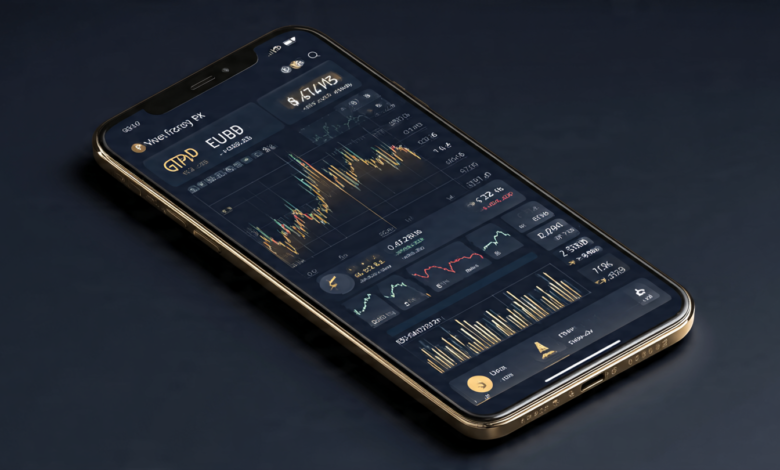
Mobile trading isn’t a backup option anymore. It’s how most retail traders actually work. You check a chart on the train, adjust a stop loss during lunch, and close a position before a meeting starts. None of that is possible without a solid app, and the gap between a good one and a bad one shows up exactly when you need it least: during a fast market.
Choosing the best forex trading apps comes down to a handful of things that actually matter day to day. Execution speed, spread quality, charting depth, and how the app handles a shaky connection all count for more than a flashy interface. A broker can have great pricing on desktop and still hand you a clunky, laggy mobile experience that costs you money on slippage.
This guide walks through what separates a strong forex trading app from an average one, breaks down several well-regarded platforms for 2026, and covers the practical details, regulation, fees, order types, and security, that should factor into your decision. Whether you’re new to currency trading or you’ve been at this for years and just want a better setup on your phone, you’ll find a clear, practical comparison here rather than a generic list of names.
What Makes a Forex Trading App Worth Using
Not every app that lets you place a trade from your phone deserves to be called a good one. Before comparing specific platforms, it helps to know what to actually look for.
Execution Speed and Order Reliability
When you tap “buy” on a mobile screen, you want that order filled at or close to the price you saw. Slow execution during volatile news events can mean the difference between a small loss and a painful one. The strongest mobile forex apps typically process orders in well under 100 milliseconds under normal conditions, and they’re built to stay stable when volume spikes.
Charting and Technical Analysis Tools
A phone screen is small, so charting tools need to be designed for it, not just shrunk down from a desktop version. Look for:
- Multiple timeframes with smooth switching
- A reasonable library of indicators (moving averages, RSI, MACD, Bollinger Bands, at minimum)
- Drawing tools that are actually usable with a finger, not just a mouse
- The ability to save chart templates and layouts
Spreads, Commissions, and Overnight Fees
Cost structure varies a lot between brokers, and it’s worth checking whether the app displays live spreads clearly before you trade. Some platforms run on raw spreads plus a commission per lot, others build the cost into a wider spread. Neither approach is automatically better, but you need to know which one you’re getting so you can compare apples to apples.
Regulation and Fund Safety
This is the part traders sometimes skip, and it’s the part that matters most. A forex trading app is only as trustworthy as the broker behind it. Check whether the firm is licensed by a recognized regulator such as the UK’s Financial Conduct Authority, Australia’s ASIC, or the US National Futures Association, and confirm your funds are held in segregated client accounts. Regulation doesn’t eliminate risk, but it does mean there’s oversight and a complaint process if something goes wrong.
Platform Compatibility
Many traders want the flexibility to switch between MT4, MT5, cTrader, or a broker’s own proprietary app depending on what they’re doing. If you already use Expert Advisors or custom indicators on desktop, confirm the mobile version supports the same setup before you commit.

Top Forex Trading Apps for Mobile Traders in 2026
Here’s a practical rundown of platforms that consistently show up as strong options for mobile-first traders this year. Availability and regulation vary by country, so always confirm a broker can legally serve you before opening an account.
1. IG Trading App
IG has one of the more polished mobile trading apps on the market, built around fast execution and a clean interface that doesn’t feel overloaded. It supports a wide range of currency pairs alongside stocks, indices, and commodities, and its charting package holds up well even on a smaller screen. IG is regulated in multiple major jurisdictions, which adds a layer of comfort for traders who prioritize oversight.
Best for: Traders who want a well-rounded, professionally built app with strong regulatory backing.
2. Pepperstone
Pepperstone’s mobile experience is aimed at traders who already know their way around a chart. It supports MT4, MT5, and cTrader, so you’re not locked into a single ecosystem, and execution speeds are consistently rated among the faster options available. Spreads are competitive, particularly on major pairs.
Best for: Active and semi-professional traders who want platform flexibility.
3. FP Markets App
FP Markets gives mobile users access to a wide instrument list, more than 70 currency pairs along with stocks, indices, commodities, and crypto CFDs, all wrapped in an app that supports customizable watchlists and solid charting. Combined with 24/7 support, it’s a reasonable pick for traders who want breadth without sacrificing usability.
Best for: Traders who want a large range of tradable instruments in one place.
4. AvaTrade Mobile
AvaTrade stands out for its risk management tooling, including AvaProtect, which lets traders hedge against losses on certain positions for a set period. That’s a useful feature for anyone trading on the go who can’t always monitor a position closely. The app itself is intuitive and works well for both beginners and more experienced traders.
Best for: Traders who want built-in risk management features rather than building their own manually.
5. Exness App
Exness has built a reputation around fast withdrawal processing and flexible leverage options, both of which matter more on mobile, where traders often need quick access to funds or fast adjustments to position sizing. The app is straightforward, without unnecessary clutter, which helps when you’re trading from a smaller screen.
Best for: Traders who prioritize withdrawal speed and leverage flexibility.
6. Vantage Markets App
Vantage combines ECN and STP account types with a mobile app built for smoother navigation between market analysis, execution, and account management. It’s a reasonable middle-ground option for traders who want more than a bare-bones app but don’t need the complexity of a full institutional-grade platform.
Best for: Traders who want account flexibility alongside a straightforward mobile setup.
7. Fusion Markets (cTrader)
Fusion Markets runs its mobile offering through cTrader, giving access to over 250 tradable markets including more than 90 forex pairs. It’s licensed across multiple regulators and has no minimum account size, which lowers the barrier for traders who want to test a platform before committing significant capital.
Best for: Traders who want cTrader’s interface with a wide market selection and low entry cost.
How to Compare These Apps Before You Choose One
Reading a list of names isn’t enough on its own. Here’s a simple process for narrowing it down:
- Confirm regulation in your country. A broker might be well regulated in one region and unavailable, or unregulated, in yours.
- Open a demo account. Nearly every app on this list offers one. Use it to test execution speed and interface layout before risking real money.
- Check the fee schedule in full. Look past the headline spread and check for commissions, overnight financing charges, and withdrawal fees.
- Test the charting tools on your actual phone. What looks fine on a website screenshot can feel cramped on a five-inch screen.
- Read recent, independent reviews. Broker conditions change, so a review from two years ago may not reflect current spreads or execution quality.
Security Features to Look For in a Mobile Trading App
Since you’re carrying your trading account in your pocket, security deserves real attention.
- Two-factor authentication (2FA) for login and withdrawals
- Biometric login (fingerprint or face recognition) for quick, secure access
- Session timeout settings so the app locks automatically after inactivity
- Segregated client funds, meaning your money is kept separate from the broker’s operating capital
- Encrypted connections for all data transmitted between your device and the broker’s servers
If an app is missing more than one of these, it’s worth pausing before you fund an account.
Common Mistakes Mobile Traders Make
A good app can’t fix bad habits, but a few small adjustments go a long way:
- Trading on unstable connections. A dropped connection mid-trade can leave a position open longer than intended. Use Wi-Fi where possible and keep mobile data as a backup.
- Ignoring notification settings. Price alerts and margin call notifications exist for a reason. Turn them on and actually pay attention to them.
- Overtrading because it’s convenient. Easy access can lead to impulsive trades. The same discipline that applies to desktop trading applies here too.
- Skipping the fine print on leverage. Mobile apps make it just as easy to increase leverage as decrease it. Higher leverage means higher risk, not just higher potential reward.
Frequently Asked Questions
Are forex trading apps safe to use? They can be, provided the broker behind the app is properly regulated and follows standard security practices like 2FA and fund segregation. Always verify a broker’s license before depositing money.
Do I need a different app for beginners versus advanced traders? Not necessarily. Many of the apps covered here scale well, offering a simple interface for beginners while still providing advanced charting and order types for more experienced users. What matters more is picking a broker with fair pricing and solid execution regardless of experience level.
Can I use Expert Advisors on a mobile forex app? Full EA automation typically still runs on a VPS or desktop terminal, but apps built on MT4 or MT5 let you monitor and adjust EA-driven trades from your phone, and some brokers offer cloud-based automation that runs independently of your device.
What’s the difference between a proprietary app and MT4/MT5? A proprietary app is built in-house by the broker and often has a more modern, streamlined interface. MT4 and MT5 are third-party platforms used across many brokers, which means more consistency if you switch providers, plus a larger library of custom indicators and EAs built by the broader trading community. For a deeper technical explanation of how currency markets work, resources like Investopedia’s forex overview are a solid starting point.
How much money do I need to start mobile forex trading? This varies significantly by broker. Some, like Fusion Markets, have no minimum deposit at all, while others set a modest minimum in the range of $100 to $200. Start with an amount you’re fully prepared to lose, especially while you’re still learning how an app’s execution and interface behave in live conditions.
Conclusion
The right forex trading app depends less on brand recognition and more on how well it fits your actual trading style, whether that means fast execution during news events, flexible platform choice through MT4, MT5, or cTrader, strong risk management tools, or simply a clean interface you can navigate quickly under pressure.
Apps like IG, Pepperstone, FP Markets, AvaTrade, Exness, Vantage, and Fusion Markets each bring different strengths to the table, so the smartest approach is to test a couple of demo accounts, compare real spreads and execution on your own device, and confirm regulation in your region before committing real capital. Mobile trading has matured into a genuinely capable way to manage a forex account, but the app you choose still has to earn that trust through consistent performance, not just a good-looking interface.