Best Forex Trading Journals and Tracking Apps
Compare the best forex trading journal apps for logging trades, spotting patterns, and building real trading discipline over time.
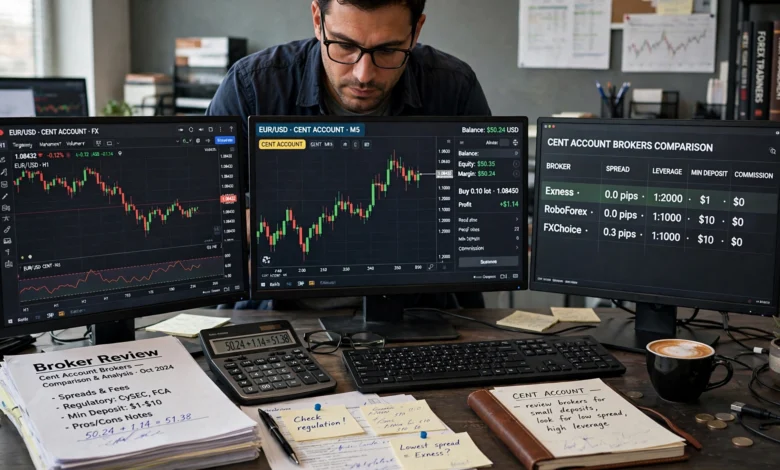
If you’ve been trading currencies for more than a few months, you’ve probably noticed something frustrating: the same mistakes keep showing up. You take a trade you know breaks your rules, you move a stop loss “just this once,” or you double your position size right after a loss to “win it back.” A forex trading journal is the tool that catches all of this before it drains your account.
Most traders think a journal is just a record of wins and losses. It isn’t. A good forex trading journal is closer to a mirror. It shows you exactly how you trade, not how you think you trade, and those two things are almost never the same. The gap between them is usually where your losses come from.
This guide walks through what a proper trading journal actually needs to do, then compares the best forex trading journals and tracking apps available right now, from free spreadsheet-style tools to full analytics platforms with broker syncing and AI-assisted reviews. Whether you’re a part-time swing trader or you’re grinding out five setups a day on MT4, there’s a tool on this list that fits how you actually work. By the end, you’ll know which type of journal suits your trading style and which specific apps are worth your time.
What Is a Forex Trading Journal and Why It Matters
A forex trading journal is a structured log of every trade you place: entry price, exit price, position size, the setup or strategy behind it, and ideally your mental state at the time. Some traders keep this in a notebook. Most serious traders now use dedicated forex tracking apps because they automate the math and surface patterns a spreadsheet can’t easily show.
Here’s why it matters more in forex than in almost any other market:
- Leverage amplifies small mistakes. A sizing error that costs you 1% on a stock trade can cost you 5-10% on a leveraged forex position.
- Sessions behave differently. Your London-session breakout strategy might be profitable while the same setup during the Asian session quietly bleeds money. Without a journal, you’d never isolate that.
- Currency pairs correlate. Trading EUR/USD and GBP/USD at the same time is often the same trade twice. A journal exposes hidden correlation risk that feels like “diversification” but isn’t.
- Emotional patterns are invisible in the moment. Revenge trading, overconfidence after a win streak, and hesitation after a loss all leave a data trail, but only if you’re tracking it.
Traders who journal consistently tend to identify their strongest setups faster and cut losing habits sooner, simply because the data forces an honest conversation with themselves.
What to Look For in a Forex Trading Journal App
Not every tracking tool is built the same way, and forex has a few requirements that stock or crypto journals sometimes miss entirely. Before comparing specific apps, it helps to know what actually separates a useful forex trading journal app from a glorified spreadsheet.
Broker and Platform Compatibility
Since most retail forex traders use MetaTrader 4, MetaTrader 5, or a proprietary broker platform, your journal needs to import that data cleanly. Look for:
- Native MT4/MT5 statement import or plugin support
- CSV upload as a fallback for less common brokers
- Support for prop firm platforms if you trade funded accounts
Session and Pair-Level Analytics
A trading journal built for stocks won’t automatically understand that forex trades cluster around sessions (Asian, London, New York) and that pair selection matters as much as direction. The better tools break your performance down by:

- Currency pair
- Trading session and time of day
- Lot size and risk-per-trade
- Strategy or setup tag
Emotional and Behavioral Tagging
The apps worth using let you tag each trade with your mental state, confident, anxious, bored, revenge trading, and then show you the P&L tied to each tag. This is often the single most eye-opening feature in any forex tracking app, because it turns a vague feeling (“I trade worse when I’m frustrated”) into a hard number.
Reporting and Visualization
Look for equity curves, win-rate breakdowns, risk-reward distributions, and drawdown charts. A journal that only shows a running P&L total isn’t giving you enough to actually improve.
Price and Long-Term Cost
Subscription pricing for trading journals ranges roughly from free to around $30-50 a month for premium analytics platforms. Over a year or two, that adds up, so it’s worth weighing subscription tools against one-time-purchase options if you plan to journal long term.
Best Forex Trading Journals and Tracking Apps
Below are the standout forex trading journals and tracking apps worth considering in 2026, grouped roughly by who they suit best.
1. Edgewonk
Edgewonk has been a favorite among forex-focused traders for years, largely because it was built with currency trading in mind rather than adapted from a stock-journal template. It handles session analysis, strategy tagging, and psychological pattern tracking well, and it runs as a desktop-friendly tool for traders who don’t want everything tied to the cloud. It’s a strong pick if MT4/MT5 compatibility and forex-specific metrics matter more to you than flashy visuals.
Best for: Dedicated forex traders who want deep, currency-specific analytics without an expensive monthly subscription.
2. Tradervue
Tradervue is one of the longest-running names in trade journaling, known for broad broker integration and detailed performance reporting across multiple asset classes, including forex. It’s a solid option if you trade forex alongside stocks or futures and want everything in one dashboard rather than juggling separate tools.
Best for: Multi-asset traders who want one journal to cover forex plus other markets.
3. TraderSync
TraderSync leans into automation and trade replay, letting you visually walk back through a trade’s price action after the fact. For forex traders trying to figure out exactly where an entry or exit went wrong, replay functionality is genuinely useful rather than a gimmick. It also offers broker syncing to reduce manual entry.
Best for: Traders who want to visually review past trades, not just read the numbers.
4. TradeZella
TradeZella combines journaling with a notebook feature for attaching screenshots and notes to individual trades, plus community elements if you like comparing notes with other traders. Its reporting is comprehensive and its interface tends to be one of the more approachable ones on this list for traders newer to journaling.
Best for: Traders who want a clean, visual journal with community features built in.
5. TradesViz
TradesViz is aimed at traders who want granular, customizable analytics without paying premium-tier prices. It supports detailed filtering by pair, session, and strategy, which suits forex traders who like slicing their data many different ways rather than relying on a handful of preset reports.
Best for: Data-driven traders who want flexible, custom reporting on a budget.
6. Chartlog
Chartlog focuses on affordability and simplicity, giving you core journaling and performance tracking without the steeper learning curve of some full analytics suites. It’s a reasonable entry point if you’re moving off spreadsheets for the first time and don’t need every advanced feature immediately.
Best for: Traders transitioning from spreadsheets who want something simple and low-cost.
7. UltraTrader
UltraTrader is built mobile-first, syncing trades from your broker with minimal manual input, which matters if you check and log trades from your phone throughout the day rather than sitting at a desktop. It keeps the interface simple while still tracking the core metrics that matter for review.
Best for: Traders who journal primarily from a phone rather than a desktop.
8. Stonk Journal
If cost is your main constraint, Stonk Journal is a genuinely free option that still covers the basics well: trade logging, notes, and simple performance tracking. It won’t match the analytics depth of paid platforms, but it’s a legitimate way to build the journaling habit before committing money to a subscription.
Best for: Beginners who want to build a journaling habit before paying for anything.
9. Spreadsheet Journals (Google Sheets/Excel)
It’s worth mentioning the original trading journal format directly, because for some traders it’s still the right call. A well-built spreadsheet gives you complete control over what you track and costs nothing. The tradeoff is manual entry and the extra work of building your own charts and formulas. This suits traders who log a smaller number of trades and prefer full customization over automation.
Best for: Low-volume traders who want total control and zero subscription cost.
Dedicated App vs. Spreadsheet: Which Should You Use?
This comes down mostly to trade volume and how much you value automation.
- Choose a spreadsheet if you place a handful of trades a week, enjoy building your own tracking system, and don’t mind manual entry.
- Choose a dedicated forex tracking app if you trade frequently, want automatic broker syncing, or want visual analytics without building them yourself.
- Choose a free app first if you’re not yet sure journaling will stick as a habit. There’s little point paying for premium analytics on a habit you haven’t built yet.
According to StockBrokers.com’s review of trading journal platforms, the strongest tools go beyond basic trade imports and profit tracking, giving traders the underlying data needed to expose bad habits and confirm which strategies actually hold up (StockBrokers.com trading journal guide). That distinction, data versus a simple log, is really the dividing line between a journal that changes your trading and one that just decorates it.
How to Actually Use a Forex Trading Journal (Without Quitting After a Week)
Buying or downloading a journal app solves nothing on its own. The traders who benefit from journaling are the ones who build it into a routine. A few practices make that easier:
- Log the trade immediately, not at the end of the week. Details fade fast, especially your emotional state at entry.
- Tag every trade with a setup name. Even a rough category like “breakout” or “pullback” lets you compare performance across strategies later.
- Review weekly, not just monthly. A weekly quick-scan of your win rate and biggest losses catches bad patterns before they compound.
- Write one sentence on what you’d do differently. This single habit turns a data log into an actual learning tool.
- Track your rule violations separately. If you have a stop-loss rule or a max-trades-per-day rule, note every time you break it. This number alone often predicts your monthly result better than your win rate does.
Common Mistakes When Starting a Trading Journal
- Logging only winning trades, which quietly erases the data you need most
- Skipping the “why,” recording that a trade lost money without noting what setup or mistake caused it
- Switching tools too often, which fragments your history and makes long-term pattern spotting harder
- Treating the journal as a chore instead of reviewing it, which defeats the purpose entirely
Frequently Asked Questions
Do I need a paid app, or is a free journal good enough to start? A free journal or spreadsheet is genuinely fine to start with. What matters most in the first few months is building the habit of logging every trade honestly. Upgrade to a paid forex tracking app once you’re journaling consistently and want deeper analytics like session breakdowns or emotional tagging.
How much detail should I record per trade? At minimum: pair, direction, entry, exit, position size, and the setup you were trading. Add your emotional state and a short note on execution quality if you want the journal to actually change your behavior, not just record results.
Can a trading journal work for prop firm accounts? Yes, and it’s often more important there. Many prop firms require documented trade history, and a journal that tracks your drawdown and rule adherence in real time can help you avoid breaching account rules unintentionally.
Is MT4/MT5 compatibility really necessary? If that’s your trading platform, yes. Manual CSV exports work, but native integration saves time and reduces the chance of data entry errors creeping into your statistics.
Conclusion
A forex trading journal isn’t optional if you’re serious about improving as a trader. It’s the difference between guessing why last month was rough and actually knowing which setup, session, or emotional pattern caused it. Whether you go with a forex-specific tool like Edgewonk, a broader platform like Tradervue or TraderSync, a budget-friendly option like TradesViz or Chartlog, a mobile-first app like UltraTrader, a free starting point like Stonk Journal, or even a well-organized spreadsheet, the tool matters far less than the consistency behind it.
Pick the option that matches your trade volume and platform, commit to logging every trade honestly, and review it on a schedule. That habit, more than any indicator or strategy, is usually what separates traders who improve from traders who repeat the same year over and over.